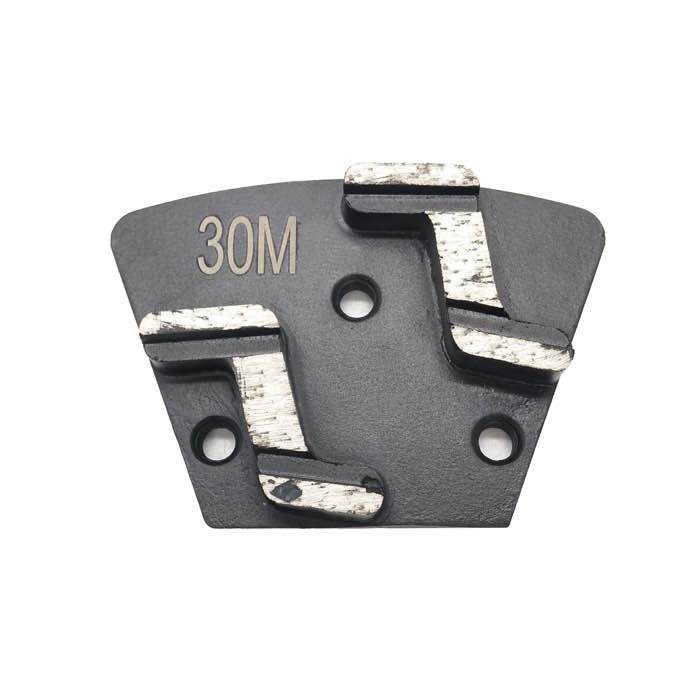
Wobble and wave marks usually come from unevenly worn segments, a loose mounting, a warped plate or too much speed. Check segments, mounting and plate flatness first, then slow the machine down.
Wobble, chatter and wave marks almost always come from one of four causes: unevenly worn segments, a loose or incorrect mounting, a bent or warped grinding plate, or running too fast for the bond. Fix the tooling and mounting before blaming the concrete.
Waves are removed by a finer, flatter grinding pass with freshly dressed, evenly worn tooling. A balanced double-S trapezoid disc spreads cutting pressure evenly and minimizes chatter on long passes. Finish with a pass using a triple-round segment disc at moderate speed to level out the ripple before polishing.
A: Only when the slab is already smooth and you are refining. On rough or ground-new concrete, skipping leaves a scratch pattern finer pads cannot resolve.
A: If segments glaze and stop cutting, the bond is too hard; if they wear flat in under half a set, it is too soft. Match bond to concrete hardness.
A: Dry grinding with a HEPA vacuum is standard on polished concrete jobs; wet grinding is mostly used for stone and edge work to control dust and heat.
A: Change the whole set together once segment height drops by half or the cut rate slows. Mixing new and worn plates causes uneven scratch patterns.
Choosing the right bond, grit and technique for your concrete job saves tooling cost and avoids rework. Match the tool to the slab, work in the correct grit sequence, and keep plates balanced — the floor will tell you when you are ready for the next step. Contact JOY TECH for tooling recommendations matched to your machine and concrete hardness.
