Average response time: under 24 hours
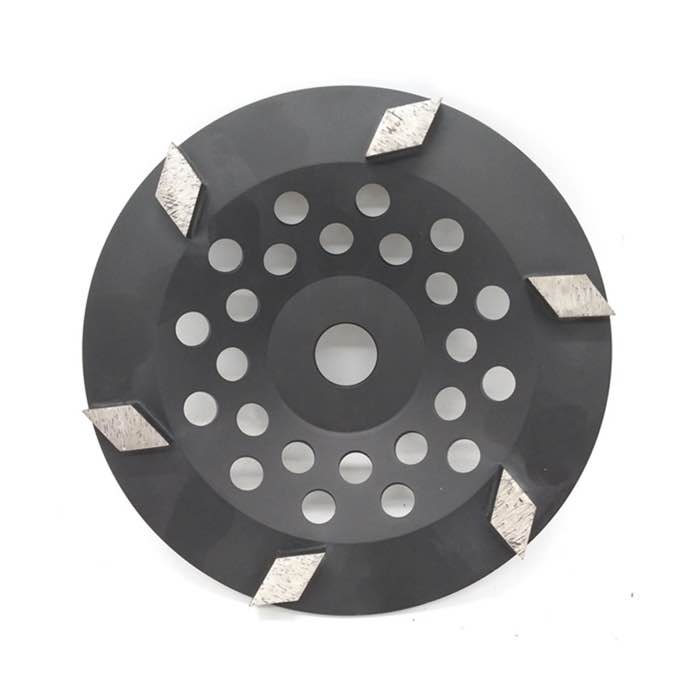
When a concrete grinder stops removing material, the cause is almost always one of four things: the segments are glazed, the bond is wrong for the concrete hardness, the machine is too light or moving too fast, or the tooling is worn out. Fix it by dressing the segments on a block or fresh concrete, switching to a harder or softer bond, slowing the travel speed and adding weight, or replacing the worn tooling. The same diagnosis applies whether you use a walk-behind machine or a hand grinder with a trapezoid grinding disc. For the right tooling on this job, see single rhombus segment discs.
Glazing happens when the bond matrix is too hard for the concrete, so the diamonds wear flat and smooth instead of cutting. The disc feels slippery and produces dust instead of material removal. To fix it, dress the tooling by running it on an abrasive block, a paver, or a piece of rough concrete for a minute or two. If the cut comes back, the tooling was glazed. If it stays smooth, the bond is wrong for your concrete.
Soft concrete needs a harder bond so the diamonds stay exposed longer; hard or abrasive concrete needs a softer bond so fresh diamonds are constantly exposed. Using a soft bond on soft concrete wears the tooling out fast, while a hard bond on hard concrete glazes instantly. If dressing does not help, change the bond: metal-bond segments for aggressive removal, resin bond for smoothing, and match the hardness rating to the slab. A double rhombus segment disc or similar trapezoid tooling gives you more surface options to tune aggression.
Grinding is a weight and speed game. If the machine is light or the operator moves too fast, the diamonds skim the surface and remove nothing. Slow the travel speed to a steady crawl, add ballast if the machine allows it, and let the tooling bite. On a hand grinder, press down firmly and hold the tool flat; tilting it concentrates pressure on one edge and makes the rest of the disc glide.
Every diamond tool wears out eventually. Check the segments: if they are worn to less than half height, the bond has gone and the diamonds are gone with it. Re-segment the plate or replace the tooling. Worn tooling feels smooth, cuts slowly and produces fine dust; new tooling produces coarse slurry and material removal. When in doubt, swap in fresh tooling and compare.
A: That is the classic glazing symptom. Dress the tooling on an abrasive block, slow down, and add pressure. If it still produces dust only, the bond is wrong or the tooling is worn out.
A: Measure the segment height. Below half the original height, the tooling should be replaced. Also check for shiny, flat diamond surfaces, which indicate glazing rather than wear.
A: Yes. More down pressure pushes the diamonds into the surface. That is why ride-on machines remove material faster than handheld ones. Add weight safely and keep the tool flat.
A grinder that stops removing material is telling you that the tooling and the surface are not matched. Dress the segments first, then check the bond, the weight and the travel speed, and replace worn tooling. Work through those four checks and the machine will cut concrete again at its full rate.
Written and reviewed by JOY TECH — an SGS & BV audited, CE/RoHS certified diamond tools manufacturer founded in 2004, exporting to 50+ countries.
Our factory and QMS are audited by SGS and Bureau Veritas. Products meet CE/RoHS requirements and every piece is 100% inspected before packing.
Verified Certificates
